
Workflow Automation Software for Mid-Sized Companies
Ten platforms, compared on the same six criteria — no-code depth, approvals, document handling, external portals, ERP/CRM integration and pricing model — for companies of roughly 200 to 2,000 employees, with 30 to 200 people needing a licence.
Borja Hernández Celorio, CEO · Published 17 September 2026 · Vendor data checked 16 September 2026
Is workflow automation software priced per user, per workflow or per module?
Four models are in common use, and the billing unit is one reason two quotes for the same project can differ substantially.
Per user (per seat)
Power Automate Premium and Appian charge per licensed user. Mobbiz Solutions applies volume-based pricing to internal users and prices external access separately.
Per unit executed
Zapier bills per task, Make per credit (most module actions = one credit), n8n per execution (one full workflow run, unlimited steps).
Per bot or process
Microsoft's Process licence is $150/bot/month, Hosted Process $215/bot/month. UiPath's Basic tier starts at $25/month; broader plans combine platform, user, robot and consumption entitlements.
Per platform / contract tier
A flat or quoted contract for a defined band of users or processes. Kissflow's Basic starts at $2,500/month under a fixed annual agreement; Nintex and Workato don't publish dollar list prices.
Mobbiz Solutions uses volume-based per-user licensing, generally $13–$20 per internal user per month depending on location and volume, with a 20-user minimum, plus implementation starting at $6,000 for a pre-configured module. External access, integrations and AI-agent use cases are scoped and priced separately.
Workflow automation software routes approvals, documents and data between people and the systems you already run, according to rules you configure rather than code. This comparison covers mid-sized companies: roughly 200 to 2,000 employees, with 30 to 200 people who would need a licence. That band matters because lightweight tools built for very small teams may lack the governance, process depth or external access needed at this scale, while enterprise platforms may add more cost and implementation complexity than the requirement justifies.
Ten platforms are compared below on six criteria, with pricing models stated where each vendor publishes them. Mobbiz Solutions is one of the ten and is assessed on the same criteria as the other nine, including where another option may fit better.
Best workflow automation software for mid-sized companies
Which platform fits depends mostly on one question: is the job connecting SaaS apps to each other, routing approvals and documents between people, or giving suppliers, franchisees and branches a way to submit and track work from outside your organisation?
Zapier
App-to-app and AI automation, one of the category's largest connector libraries.
Kissflow
Process and case management with native approvals and external portals. Basic from $2,500/month, fixed annual agreement.
Mobbiz Solutions
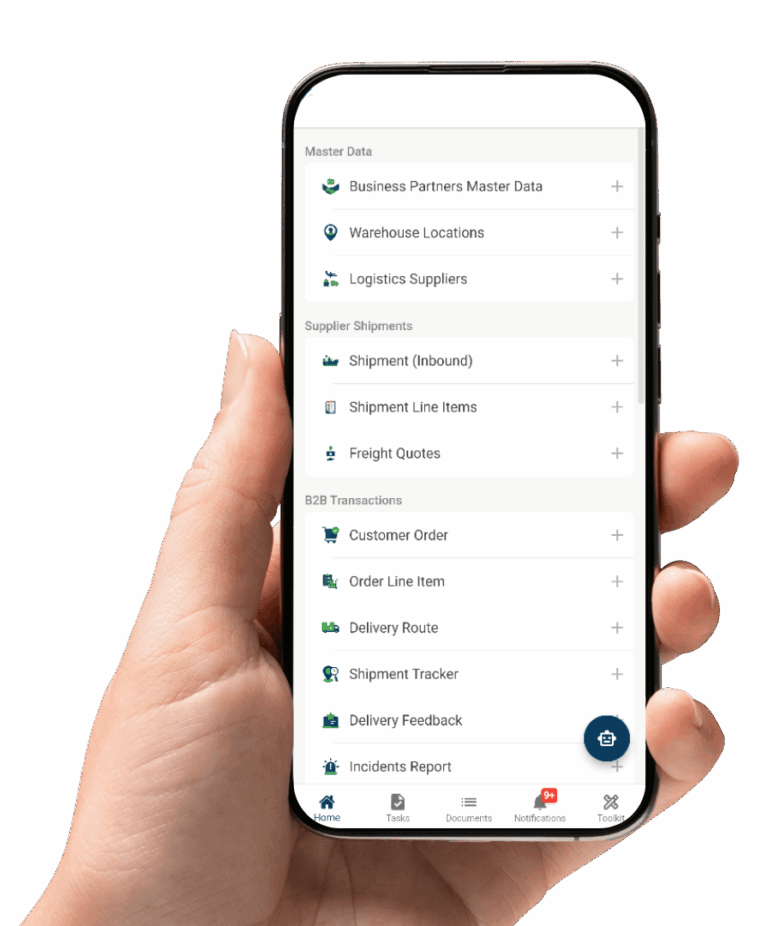
Configurable no-code process platform for approvals, document workflows and supplier, franchisee and branch portals — integrates with existing ERP/CRM or manages configured data directly.
Microsoft Power Automate
Natural fit inside a Microsoft estate — approvals run through Teams and Outlook natively.
Make
Visual scenario builder for branching, looping workflows, billed through credits.
n8n
Self-hostable; Community Edition plus paid cloud plans priced by workflow execution.
Workato
Enterprise integration and process automation, deep ERP connectors. Sales-led pricing.
UiPath
Broader RPA suite — API workflows, low-code apps, human-in-the-loop orchestration.
Nintex
No-code workflow and document automation, document generation and e-signature.
Appian
Low-code application platform, full process modelling, public-facing portals.
These ten platforms represent a practical shortlist for mid-sized companies across procurement, HR, distribution and multi-branch operations. Each was assessed against the same six criteria, using the vendors’ own documentation and pricing pages, checked on 16 September 2026.
How ten workflow automation platforms compare
The ten fall into three pricing groups: integration-first tools bill by volume of work executed, process-first platforms use per-user or quote-based pricing, enterprise suites use tiered or bot-based pricing. A shortlist that crosses groups can’t be compared on price until the unit is normalised.
| Platform | No-code depth | Approval workflows | Document handling | External portals | ERP/CRM integration | Price model |
|---|---|---|---|---|---|---|
| PlatformZapier | No-code depthNo-code, multi-step paths | Approval workflowsApproval requests (beta); built in workflows | Document handlingPasses files between apps | External portalsForms, embedded pages; full portal needs extra config | ERP/CRM integrationSaaS/ERP connectors, APIs | Price modelPer task, tiered |
| PlatformKissflow | No-code depthNo-code process/case designer | Approval workflowsNative, core capability | Document handlingForms, fields, attachments | External portalsSupported | ERP/CRM integrationStandard connectors + API | Price modelBasic $2,500/mo, fixed annual |
| PlatformPower Automate | No-code depthLow-code, expressions common | Approval workflowsNative — Teams, Outlook | Document handlingSharePoint; AI Builder OCR | External portalsPower Pages, licensed separately | ERP/CRM integrationDynamics native; SAP/Oracle premium | Price modelPer user; per bot unattended |
| PlatformMake | No-code depthVisual, logic-heavy | Approval workflowsBuilt manually or via connected apps | Document handlingFile modules only | External portalsNo native portal listed | ERP/CRM integrationConnectors + HTTP/API | Price modelPer credit (module call) |
| Platformn8n | No-code depthLow-code, JS nodes common | Approval workflowsBuilt manually; human-in-loop patterns | Document handlingFile nodes only | External portalsForms available; no native portal | ERP/CRM integrationConnectors + HTTP/API | Price modelPer execution; self-host free |
| PlatformWorkato | No-code depthRecipe builder, technical users | Approval workflowsWorkflow apps, chat-based approvals | Document handlingFile handling in recipes | External portalsBrandable Workflow Apps portal | ERP/CRM integrationDeep ERP/CRM connectors | Price modelSales-led, no public price |
| PlatformUiPath | No-code depthLow-code and coded studios | Approval workflowsHuman-in-loop tasks, orchestration | Document handlingDocument understanding, OCR | External portalsLow-code apps; depends on licensing | ERP/CRM integrationAutomates ERP screens, APIs | Price modelBasic $25/mo; broader tiers quoted |
| PlatformNintex | No-code depthNo-code designer | Approval workflowsNative — cloud + SharePoint | Document handlingDocument generation, e-signature | External portalsPublic web forms; app options vary | ERP/CRM integrationConnectors, APIs, strong Microsoft | Price modelQuote only |
| PlatformAppian | No-code depthLow-code, developer-led | Approval workflowsNative, full process modelling | Document handlingBuilt-in document management | External portalsPublic-facing portals included | ERP/CRM integrationConnectors, RPA, data fabric | Price modelPer user, per app, per month |
| PlatformMobbiz Solutions | No-code depthNo-code, business-user configured | Approval workflowsNative, multi-level routing | Document handlingPDF generation, digital signature | External portalsSupplier, franchisee, branch portals | ERP/CRM integrationERP/CRM connectors or direct data management | Price modelVolume per-user + implementation |
Vendor information checked 16 September 2026. Where a vendor does not publish a capability or list price, this table says so rather than inferring it. Sources: Zapier, Kissflow, Microsoft Power Automate, Make, n8n, Workato, UiPath, Nintex, Appian.
Best no-code workflow automation software for mid-sized businesses
“No-code” splits into three practical levels.
Business-user configurable
Kissflow, Nintex and Mobbiz Solutions — configurable after initial setup or onboarding, no developer needed for routine changes.
Technical business user
Zapier, Make and Power Automate — fine for straightforward flows, but logic, expressions and data mapping need someone comfortable with them.
Technical implementation expertise
n8n, Workato, UiPath and Appian — advanced production deployments generally benefit from dedicated technical ownership.
Four things usually break the no-code promise:
expression languages (Power Automate needs a formula the moment a flow requires a date calculation), code nodes (n8n and Make both offer JS/Python escape hatches), admin rights (ERP connectors usually need tenant or database access, however no-code the builder is), and infrastructure (n8n's free tier is only free if someone can run, patch and back up a server).
Most affordable workflow automation software for a mid-sized company
Entry price and total cost diverge once implementation, integration work and internal admin time are counted — and for most mid-sized companies, the second number decides the project. Illustrative scenario: a 250-employee B2B distributor, 60 internal users, purchase approvals with three authorisation levels, and supplier onboarding for ~30 new suppliers/month. Illustrative only — not a Mobbiz Solutions client.
If a platform counts 200 suppliers as standard users, a $20/user licence becomes a $48,000 annual line for people who log in twice a month. Mobbiz Solutions licenses internal users separately from external ones — suppliers, franchisees and branch staff on a portal don't draw against the 20-user internal minimum, and are priced through lower-cost packs or transaction-based pricing instead. For suitable processes, Mobbiz Solutions uses operational savings of approximately 20–40% within six months as a planning target, not a guaranteed result.
Where each platform is not the right choice
Mobbiz Solutions
Built for implemented business processes, not same-day self-service automation. If the need is mostly SaaS-to-SaaS connectors, Zapier or Make serve it more directly at lower entry cost.
Zapier & Make
Less suited to structured multi-level approvals, controlled document versions and dedicated external portals — approvals can be assembled but aren't the primary model.
Self-hosted n8n
Not the right choice without technical ownership for hosting, security, updates and backups.
Power Automate
Strongest in a Microsoft estate. For heavily non-Microsoft systems, check premium connector cost and licensing rather than assuming it's included.
UiPath
May be more platform than a straightforward API-to-API integration needs — strongest when desktop interfaces, RPA and human-in-the-loop work must be orchestrated together.
Appian & Workato
Generally aimed at more complex enterprise programmes. Smaller deployments should confirm contract minimums and total implementation cost.
Frequently asked questions
What is the best workflow automation software for mid-sized companies?
There is no single winner. For SaaS-to-SaaS integration, Zapier and Make are strong options. For approvals and process management, evaluate Kissflow, Nintex and Mobbiz Solutions. For Microsoft estates, consider Power Automate. For supplier, franchisee or branch portals integrated with existing ERP or other business systems, Mobbiz Solutions, Kissflow, Appian and Workato Workflow Apps can be considered. Mobbiz is particularly relevant when configurable portals, separately priced lower-cost external access and implementation support are important.
Which workflow automation platforms are genuinely no-code?
No-code comes in practical levels. Kissflow, Nintex and Mobbiz Solutions are business-user configurable after initial setup or onboarding. Zapier, Make and Power Automate generally need a technical business user for more complex logic and data mapping. Advanced production deployments on n8n, Workato, UiPath and Appian typically benefit from technical implementation expertise.
What is the most affordable workflow automation software for a mid-sized company?
Self-hosted n8n has the lowest software licence cost because its Community Edition is free, although hosting and administration are not. Make and Zapier also have low published entry tiers. Once implementation and internal build time are counted, the ranking can change: a self-serve tool that requires substantial internal build work may cost more than an implemented platform and may still require a separate front end or portal for external users.
Is workflow automation software priced per user, per workflow or per module?
Four models are in use: per user, as with Power Automate Premium, Appian and Mobbiz Solutions; per unit executed, as with Zapier tasks, Make credits and n8n executions; per bot or process, as with Microsoft Process and some UiPath capacity; and per platform or contract tier. Kissflow states that Basic starts at USD 2,500 per month under a fixed annual agreement, while Nintex and Workato do not currently publish dollar list prices. Normalise the unit before comparing quotes.
Do suppliers and franchisees need paid licences to use a workflow portal?
It depends on the platform, and this question can materially change the total cost. Some per-seat platforms count external users as standard licensed users, which can turn 200 suppliers into a five-figure annual line. Mobbiz Solutions does not count portal users as internal seats or towards its 20-user internal minimum. External access is priced separately through lower-cost packs, with lower effective rates at larger volumes, or through transaction-based pricing rather than the internal per-seat rate. Ask each vendor in writing because the answer is not always clear on the pricing page.
Does workflow automation software replace your ERP?
Usually not. These platforms can integrate with ERP, CRM and other business systems and manage how work moves between people and systems. In many deployments, the ERP remains the system of record for transactions and financial data. Mobbiz Solutions can integrate with an existing accounting or ERP system, including posting invoices automatically where configured, and can also manage configured operational data directly without taking over the accounting function.
When is workflow automation software the wrong choice?
When the process is a straight data transfer between two SaaS tools with no human decision, a per-task integration tool may be simpler and less expensive. When the target system has no API and must be driven through its interface, RPA may be a better fit. When a platform’s minimum licence count or contract tier is much larger than the user base, the total cost may also be difficult to justify.
See how your workflows would run on Mobbiz
Bring your user counts, operating region, and the process causing the most manual chasing — leave with a real number, not a category range.
Email: info@mobbizsolutions.com