
Best AI-powered BPA platforms
AI-powered business process automation combines workflow orchestration with document reading, data extraction, classification and exception handling. For most mid-market buyers, the shortlist should follow the process — not the size of the feature list.
Monica Viladot Medina, Growth Director · 23 September 2026
For most mid-market buyers, the shortlist should be based on the process, not the size of the feature list:
Mobbiz Solutions or Kissflow
For document-heavy operational workflows
Microsoft Power Automate
For Microsoft-centric internal processes
UiPath
When RPA and legacy systems are involved
Nintex
For structured, document-heavy workflows
Appian or AuraQuantic
For broader BPM and enterprise application programmes
Workato, Make, Zapier or n8n
For integration-led automation
There is no single best platform for every company. The most important question is whether the required AI capability is built into the workflow or added through a separate service.
What makes a BPA platform AI-powered?
A workflow platform should do more than send an email or move data between two applications.
For this comparison, AI-powered BPA includes one or more of the following capabilities:
Reading documents and images
Extracting fields such as names, dates, totals and reference numbers
Classifying documents or requests
Recommending a workflow route
Helping users create or modify a process
Identifying exceptions for human review
Searching or summarising process information
Document processing has three separate stages:
- Reading converts a scan, photograph or file into usable text.
- Extraction identifies fields such as supplier, invoice number, date or total.
- Classification determines what the document is and where it should go.
A vendor may be strong at one stage and weak at another. A proper evaluation should test the complete process, including what happens when the AI is uncertain.
Which BPA vendors offer AI-powered process automation for mid-market companies?
The main mid-market shortlist includes Mobbiz Solutions, Kissflow, Microsoft Power Automate, Nintex, UiPath, AuraQuantic, Appian and Workato.
Zapier, Make and n8n can also support AI-enabled automation, but they are generally better suited to integrations and lighter workflows than to full business process management.
| Business requirement | Platforms to assess |
|---|---|
| Document-heavy approvals and supplier workflows | Mobbiz Solutions Kissflow |
| Existing Microsoft 365 investment | Power Automate Power Pages Nintex |
| RPA and systems without usable APIs | UiPath Power Automate |
| Enterprise BPM and application development | Appian AuraQuantic |
| Integration-led automation | Workato Make Zapier n8n |
For a mid-market company, the licence price is only part of the decision. Also compare implementation effort, minimum users, internal skills, integration requirements, AI usage charges and the time needed to maintain the workflows.
Best AI-powered BPA platforms
Mobbiz Solutions
Mobbiz Solutions positions itself as a business process automation platform for mid-sized B2B organisations managing approvals, documents, suppliers, franchisees and multiple branches.
It is most relevant to companies that need to:
Process documents within an operational workflow
Collect information from suppliers or franchisees
Route documents for review and approval
Apply different rules by branch or location
Work alongside an existing ERP or CRM
Let business users configure processes without building every component from scratch
Mobbiz describes its platform as a way to centralise business processes such as approvals, procurement, field operations and reporting without replacing core systems.
Its potential strength is the combination of document handling and operational workflow. For example, a supplier could submit a delivery document, the system could extract the delivery reference and quantities, and the workflow could send a mismatch to a named approver.
Before purchase, confirm:
- Which document types are supported
- How extraction accuracy is measured
- What happens when confidence is low
- Whether document processing is included in the licence
- How external users authenticate
- Which ERP and CRM integrations are available
- What implementation work is required
Kissflow
Kissflow is a no-code workflow platform with AI-assisted process capabilities and intelligent document processing.
Its document-processing offering is designed to extract information from invoices, receipts and other uploaded documents.
Kissflow may suit teams that want to:
Build approval processes without extensive development
Add document extraction to forms
Keep business users involved in configuration
Route extracted information into a workflow
Automate finance and operations processes
Kissflow is a useful comparison for Mobbiz when the requirement is a mid-market document workflow. The important evaluation points are process variation, integrations, external-user access and the amount of implementation support required.
Microsoft Power Automate and AI Builder
Power Automate is often the best option when a company already uses Microsoft 365, SharePoint, Power Apps and Dataverse.
AI Builder provides document-processing models that can extract information from documents and use the results in Power Apps or Power Automate. Microsoft documents its use for processing invoices, tax documents and other standard document types.
Power Automate is usually a strong fit when:
The process is primarily internal
Microsoft systems are the main data sources
The team already understands Power Platform
Standard connectors meet the requirement
The business can manage licensing and governance
UiPath
UiPath is strongest when document processing is combined with RPA, legacy applications or repetitive back-office work.
UiPath Document Understanding combines AI with RPA to process documents. Its current documentation covers structured and semi-structured documents, as well as generative extraction for more unstructured content.
UiPath is worth assessing when:
A target system has no usable API
Bots need to interact with existing screens
Document volumes are high
The organisation has automation specialists
Enterprise governance is required
It may be more than a mid-market company needs if the requirement is limited to a few approval workflows.
Nintex
Nintex is relevant to organisations with document-heavy processes and an existing Microsoft-oriented technology environment.
Compare it based on:
Document and form capabilities
Approval design
Integration options
Administration requirements
Whether business users or IT must make changes
Total implementation cost
A Microsoft-centric environment does not automatically make Nintex the best choice. Compare it with Power Automate, Power Pages and the other platforms on the shortlist.
Appian
Appian is designed for larger business applications and enterprise process programmes.
It may suit companies that need:
Complex case management
Multiple connected applications
Enterprise governance
Developer-supported process design
A long-term BPM programme
For a mid-market company with a limited number of document workflows, Appian may be unnecessarily complex. Its value is more apparent when process automation is becoming a core application-development capability.
AuraQuantic
AuraQuantic is a BPM platform for structured process automation and low-code business process management.
Its closest alternatives depend on the reason for switching:
| Priority | Platforms to compare |
|---|---|
| Mid-market document workflows | Mobbiz Solutions Kissflow |
| Existing Microsoft investment | Power Automate Nintex |
| Enterprise application development | Appian |
| RPA and legacy-system automation | UiPath |
| Integration-led automation | Workato |
If an AuraQuantic implementation is stable, switching may not be justified. Migration becomes more attractive when the company needs a document capability the existing platform does not provide, is approaching renewal, or wants to simplify its operating model.
Workato, Make, Zapier and n8n
These platforms are primarily used for integration and automation.
They can support AI steps, document parsers and workflow actions through connected services. They are often a good fit when:
A form triggers a small number of actions
Data needs to move between applications
Approval is a minor part of the process
There are few users and exceptions
They are less suitable when the business needs a complete operational process involving document management, supplier portals, complex approvals, audit history and branch-specific rules.
Which workflow software has built-in AI document reading and classification?
The strongest platforms to assess first are:
Mobbiz Solutions
Kissflow
UiPath
Microsoft Power Automate with AI Builder
Appian
Nintex
AuraQuantic
However, “built-in” must be defined carefully. A platform may:
Provide document AI within its own product.
Include a connected document-processing service.
Allow the customer to connect a third-party parser.
Offer AI for workflow design but not document processing.
Microsoft AI Builder provides document-processing models that can be used in Power Automate and Power Apps.
UiPath Document Understanding provides document-processing capabilities within the UiPath automation ecosystem.
Kissflow promotes intelligent document processing for extracting information from uploaded documents such as invoices and receipts.
Before choosing a platform, request a demonstration using your own documents. Test:
Different layouts
Scanned images
Low-quality files
Missing fields
Duplicate documents
Conflicting totals
Documents that require human review
The quality of the exception process is as important as the extraction accuracy.
What should you ask a vendor?
Ask each vendor:
- Which document types can the platform read and classify?
- Can we test it using our own documents?
- What confidence score triggers human review?
- Where are documents and extracted data stored?
- Is document processing included or charged separately?
- Can extracted information be checked against our ERP or CRM?
- Can business users change the workflow without developers?
- How are approvals, corrections and exceptions recorded?
- What is the minimum implementation scope?
- What is the total first-year cost?
A useful demonstration should show the complete path:
Document submitted
Data extracted
Document classified
Business rule applied
System updated
Human approval recorded
Exception routed
A demo that only shows a document being read does not prove that the platform can automate the process around it.
How much does an AI-powered BPA platform cost?
Budget separately for implementation, licences, integrations and AI usage.
Common pricing models include:
- Per user
- Per task or operation
- Per document or page
- Per bot or automation capacity
- Quote-based enterprise pricing
For mid-market buyers, implementation and integration may be more significant than the software licence. Ask vendors for a first-year estimate that includes:
Configuration
Data migration
Integration work
Training
Support
AI or document-processing usage
Additional users
External users
Future workflow changes
Do not compare one vendor’s entry-level licence with another vendor’s fully implemented cost.
Final recommendation
For a mid-market company with document-heavy approvals, suppliers or multiple branches, begin by comparing Mobbiz Solutions, which is built to sit above your existing ERP or CRM, and Kissflow with the existing Microsoft option.
Choose Power Automate and AI Builder when the workflow is primarily internal and the Microsoft environment already meets the integration and governance requirements.
Assess UiPath when RPA or legacy-system interaction is central to the project.
Compare Appian or AuraQuantic when the organisation needs a broader BPM or application-development programme.
Use Workato, Make, Zapier or n8n when the requirement is mainly integration automation rather than full business process management.
The best platform is the one that can read the relevant documents, route the work correctly, handle exceptions and remain maintainable after implementation.
Frequently asked questions
What is the best business process automation platform with AI capabilities?
For document-heavy mid-market workflows, compare Mobbiz Solutions and Kissflow first. Power Automate with AI Builder is often the best fit for Microsoft-centric internal processes. UiPath is stronger when RPA and legacy systems are involved, while Appian and AuraQuantic are more suitable for larger BPM programmes.
Which BPA vendors offer AI-powered process automation for mid-market companies?
Mobbiz Solutions, Kissflow, Power Automate, Nintex, UiPath, AuraQuantic, Appian and Workato belong on a mid-market evaluation shortlist, depending on the process. Zapier, Make and n8n are more appropriate for lighter automation and integrations.
Which workflow automation software has built-in AI document reading and classification?
Mobbiz Solutions, Kissflow, UiPath, Power Automate with AI Builder, Appian, Nintex and AuraQuantic are the main platforms to assess. Confirm whether document AI is native, connected through another service or priced separately.
What are the best AuraQuantic alternatives?
Compare Mobbiz Solutions or Kissflow for mid-market document workflows, Power Automate or Nintex for Microsoft-centric environments, Appian for enterprise BPM, and UiPath for RPA and legacy-system automation.
What is the difference between BPA and RPA?
BPA manages a business process from submission through completion, including routing, approvals, exceptions and system updates. RPA automates interaction with an application, often by imitating a person using its interface. Some platforms, including UiPath and Power Automate, support both.
Do I need a separate document-AI tool?
Not necessarily. A BPA platform with adequate document reading, extraction and classification may handle the complete workflow. A separate document-AI tool may make sense when document processing is the only requirement or when the chosen BPA platform cannot handle the required document types.
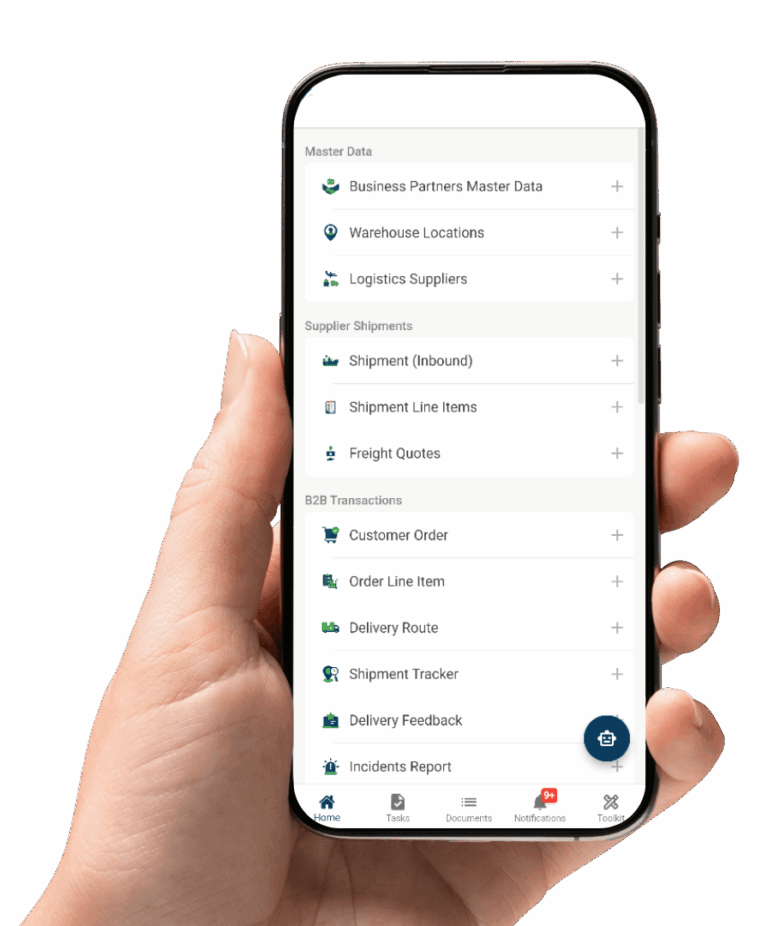
See what your documents would look like on Mobbiz
Bring one document type that currently gets retyped by hand, your ERP or CRM, and the approval chain sitting behind it. We will walk through how it would be read, classified and routed, what the integration involves, and how the implementation fits into your company budget. If another platform on this list fits your estate better, we will tell you.
Email: info@mobbizsolutions.com