
Digitising Paper-Based Field Inspections and Maintenance
AI agents can draft, classify, route and prepare work inside a business process. They can read documents, identify missing information, recommend next steps and send exceptions to the right person.
Borja Hernández Celorio, CEO · September 23, 2026
If field teams still use paper for inspections and maintenance, the right software depends on what happens after an issue is recorded.
Use an inspection-first mobile app when the main requirement is to complete checklists, attach photos and search inspection records.
Use a business process automation platform with mobile capture when an inspection finding must trigger maintenance, procurement, approvals, supplier actions or compliance reporting.
The main options to assess are:
The main options to assess are:
Mitti by SafetyCulture and GoAudits for inspection-led mobile workflows
Mobbiz Solutions for inspections connected to approvals, procurement and wider operations
Microsoft Power Apps and Power Automate for organisations already invested in Microsoft
FieldPie and other field-service or maintenance platforms when work orders, technician scheduling and broader field operations are the main requirement
We have field teams doing inspections and maintenance on paper. What software should we look at?
Start by tracing what happens after a field worker finds a problem.
If the inspection is the end of the process, shortlist an inspection app such as Mitti by SafetyCulture (formerly SafetyCulture) or GoAudits.
If the inspection triggers a longer chain, such as a repair request, material purchase, manager approval, supplier action or compliance record, compare a business process automation platform with mobile capture, such as Mobbiz Solutions.
A simple test is to count how many people and departments touch a finding after it is submitted.
One or two people in the same operations team: an inspection app may be enough.
Several people across maintenance, procurement, finance, compliance or suppliers: the approval and handoff process is probably the bigger problem.
Both categories improve on paper by capturing information at the point of work, attaching photos to the correct record and making results searchable. The difference is what happens next.
An inspection app records that a valve failed. A process platform can route the failure to the person who authorises the repair, create a material request, attach the evidence, record the approval and update the existing ERP.
Inspection app or business process automation platform?
Inspection-first mobile apps
Inspection apps are designed around mobile checklists, audits and field reporting.
They are usually the better fit when you need:
Digital inspection templates
Mobile checklist completion
Photos and notes
Corrective-action tracking
Site and asset records
Inspection reports
Searchable evidence
Fast deployment by field teams
Mitti by SafetyCulture and GoAudits are examples of platforms to assess in this category. FieldPie also supports mobile forms and audits, but is positioned more broadly around field service and workforce operations.
The inspection record is usually the centre of the system. These tools may also support corrective actions, reporting and integrations, but confirm whether they can handle the approval and procurement steps your process requires.
Business process automation platforms
A BPA platform treats the inspection as one stage in a wider operational process.
It may be more appropriate when a finding must:
- Create a maintenance request
- Trigger a purchase or material request
- Obtain approval
- Involve a supplier or contractor
- Be checked against a policy
- Create a compliance record
- Update an ERP or CRM
- Be reported across several departments
This approach is useful when digitising the checklist alone would leave the main delay untouched.
What should be on the shortlist?
| Platform or category | Best suited to | Questions to ask |
|---|---|---|
| Mitti by SafetyCulture (formerly SafetyCulture) | Mobile inspections, audits and corrective actions | Can findings trigger the required approvals and system updates? |
| GoAudits | Repeat audits across sites and teams | Can it support your asset, evidence and corrective-action model? |
| FieldPie | Field service, scheduling and mobile forms | Can it support your approval, procurement and compliance requirements? |
| Mobbiz Solutions | Inspections connected to approvals, procurement and operations | How will the workflow integrate with your ERP and handle exceptions? |
| Microsoft Power Apps and Power Automate | Microsoft-based organisations with internal technical capability | What will mobile access, offline use, licensing and maintenance require? |
| Field-service or maintenance software | Work orders, technician scheduling and asset maintenance | Does it also cover inspections, approvals and compliance evidence? |
The table is a starting point, not a product ranking. Capabilities, pricing and offline behaviour can change, so test each shortlisted product against real field conditions.
What changes when you move from paper to digital?
The form may look similar. The handoff changes.
Before
A facilities team carries printed checklists across multiple sites. Inspectors mark defects by hand and return the forms to the office in batches.
An administrator then:
- Re-keys findings into a spreadsheet
- Emails repair requests to another team
- Waits for procurement to raise a material request
- Chases approvals
- Files the paperwork for future reference
A defect can take days or weeks to reach the person who can authorise the repair.
After
The inspector completes the checklist on a mobile device and records the issue against the correct asset. A photo is attached at the point of capture, and the result is time-stamped.
The system can then:
- Create a maintenance or material request.
- Route it to the correct approver.
- Check the supplier or purchase information.
- Attach the inspection evidence.
- Record the decision.
- Send validated information to the ERP or maintenance system.
- Keep the full history searchable by site, asset and date.
This is the difference between digitising the inspection and digitising the process around the inspection.
When does Mobbiz Solutions fit?
Mobbiz Solutions is designed for field inspections that form part of a wider process involving maintenance, procurement, suppliers, approvals or compliance.
Mobbiz can operate as a configurable process platform that integrates with existing ERP, CRM, maintenance and other business systems, or manages configured operational data directly. This keeps the inspection connected to the wider process rather than creating another isolated system.
For example, a field worker could:
- Scan an asset’s QR code or RFID tag
- Complete the relevant inspection checks
- Record a defect
- Attach photographs
- Submit the finding
The workflow could then route the finding for maintenance review, raise a material request, obtain approval, retain the evidence and post the resulting data into the organisation’s existing system.
Confirm the following during a demonstration:
- Mobile device support
- Offline operation in the locations where teams work
- QR and RFID functionality
- Photo and document handling
- Asset and site records
- Approval routing
- Supplier or contractor access
- ERP and CRM integrations
- Exception handling
- Audit history
- Implementation responsibilities
Mobbiz can work with existing ERP, CRM, maintenance and other business systems while coordinating workflows, approvals and operational data. Depending on the scope, it can also manage configured operational data directly.
When is an inspection app the better choice?
A specialist inspection app is probably the better choice when:
The inspection is the end of the process
Findings stay within the operations team
You need ready-made templates
The team wants to deploy quickly
There is no procurement or approval chain
The business does not need a broader workflow platform
For example, a single-site team that only needs to complete safety checklists, attach photographs and produce reports may not benefit from the additional configuration of a BPA platform.
A process platform may require more configuration and a higher implementation investment when the organisation only needs digital checklists.
When is a process platform the better choice?
A BPA platform is worth comparing when:
Findings cross several departments
Repairs require purchasing approval
Suppliers or contractors participate in the process
Policies differ by location
Evidence must be retained for regulators, insurers or clients
The ERP should be updated without repeated manual entry
Managers need visibility across sites
The company wants inspections, maintenance and procurement to share one process model
The important point is that a process platform should remove the manual handoffs behind the paper form. If it only replaces the paper checklist, it may not solve the main operational problem. This is particularly relevant to energy and utilities operations, multi-site facilities, and franchise or multi-branch operations, where processes must run consistently across locations, allow controlled variations where required and remain auditable afterwards.
What should you test before choosing software?
Use real examples rather than a generic vendor demonstration.
Prepare:
- One completed paper inspection
- Several examples of defects
- Photos from actual field conditions
- The asset or site information the inspector needs
- The approval rules for a repair or purchase
- The ERP, CRM or maintenance system that must be updated
- An example of a rejected or incomplete inspection
- The evidence required six months after the inspection
Ask the vendor to demonstrate this sequence:
Inspection submitted
The completed inspection enters the workflow.
Defect identified
The issue is recorded and classified.
Evidence attached
Photos, notes or supporting documents are linked to the case.
Request routed
The request is sent to the appropriate person or team.
Approval completed
The authorised person reviews and approves the request.
Exception handled
Cases outside the defined rules are routed for review.
System updated
The approved information is passed to the relevant system.
Audit record created
The inspection, actions and decisions are recorded for traceability.
Also test the practical field experience:
- Can the device work without reliable connectivity?
- Can the inspector find the correct asset quickly?
- Are required fields enforced?
- Can photos be attached without excessive steps?
- Can a supervisor correct a submission?
- What happens when the inspection is incomplete?
- Can managers report by site, asset, date and status?
What does it cost to digitise field inspections?
The cost depends on whether you are buying a checklist tool or implementing a wider operating process.
A specialist inspection app is generally priced around users, sites or features. A business process automation project may include:
Workflow design
Mobile configuration
Integrations
Data migration
User training
Support
Asset and supplier setup
Document or AI processing
Ongoing licences
Mobbiz Solutions implementation pricing starts at USD 6,000 for a pre-configured module or industry solution.
Implementation
Client-specific and higher-complexity, multi-process projects are scoped individually and can exceed USD 25,000.
Internal licences
Generally USD 14–20 per user per month, depending on client location and volume, subject to a minimum of 20 users.
External participation
Supplier and contractor access can be priced through lower-cost user packs or a transaction-based model, with volume discounts for larger deployments. These users do not count towards the internal minimum.
Integrations and AI
Integrations and AI use cases are scoped and priced separately, whether included in the initial implementation or added in a later phase.
Final pricing is confirmed against the agreed scope.
Do not compare only the monthly licence. Compare the total cost of:
- Manual data entry
- Delayed repairs
- Approval chasing
- Repeated ERP updates
- Lost evidence
- Compliance preparation
- Rework caused by incomplete information
Where should you start?
Choose one recurring inspection with a clear operational cost.
Trace one finding from the last quarter and record:
Who submitted it
Which asset or site was involved
Who handled it next
Where it waited
How many times the data was re-entered
Which approval was required
What evidence had to be retained
How long it took to close
Then decide whether the real requirement is:
A better mobile checklist
A maintenance work-order system
A procurement workflow
A broader business process automation platform
A combination of these tools
The number of departments involved is often more important than the inspection form itself.
Frequently asked questions
We have field teams doing inspections and maintenance on paper. What software should we look at?
Look at Mitti by SafetyCulture (formerly SafetyCulture) or GoAudits if you mainly need mobile checklists, photos, reports and corrective-action tracking. Consider FieldPie or another field-service platform if scheduling, technician work and mobile field operations are central. Consider Mobbiz Solutions or another business process automation platform if each finding triggers maintenance, procurement, approvals, supplier action or compliance reporting.
What is the difference between an inspection app and a BPA platform?
An inspection app focuses on capturing and reporting field checks. A BPA platform treats the inspection as one step in a longer process and can route findings into approvals, procurement, supplier workflows and system updates.
Does Mobbiz Solutions replace an ERP or CRM?
Not necessarily. Mobbiz can integrate with existing ERP, CRM, maintenance and other business systems or manage configured operational data directly, depending on the scope. It coordinates the workflow, approvals, evidence and data handoffs; it is not intended to replace the complete core functionality of an ERP.
Does Mobbiz Solutions provide ready-made inspection templates?
Mobbiz provides configurable inspection forms and workflows rather than limiting customers to a fixed public template library. Pre-configured modules and industry solutions can provide a starting point, with the forms, rules and controls adapted to the client’s sites, assets, regulatory requirements and inspection types during implementation.
What happens after a field worker records a defect?
The finding can be routed through a defined process for review, maintenance action, material requests, approval, supplier involvement and evidence retention. The exact sequence depends on the organisation’s workflow and integrations.
When should we choose a specialist inspection app?
Choose a specialist app when the inspection is the main requirement, findings remain within the operations team and the business wants a quick deployment with ready-made checklist functionality.
When should we choose a process automation platform?
Choose a process platform when the inspection is only the first step and the finding must move through several departments, approvals, suppliers, systems or compliance checks.
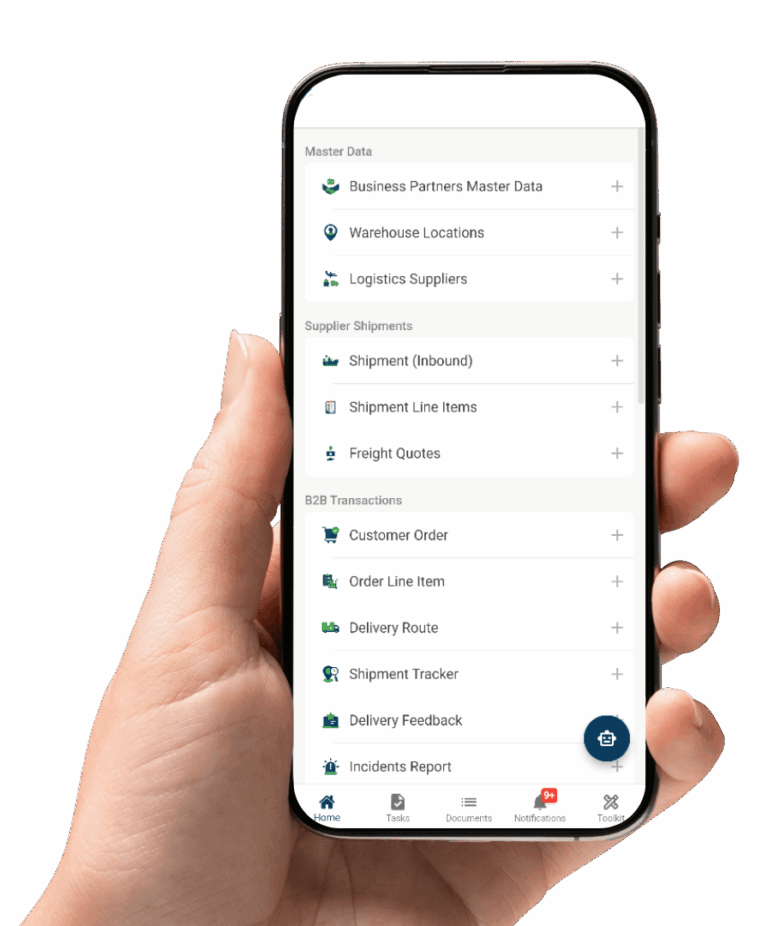
See how your inspections would run on Mobbiz
Start by tracing one defect end to end across every department it affects and identifying what must be provable six months later. This will clarify whether the requirement is a checklist app, a field-service system or a wider process platform. If the process is not yet fully defined, Mobbiz can help map and standardize it before the solution is configured.
Email: info@mobbizsolutions.com