

Best Power Automate alternatives for company approvals
Power Automate is the right call for plenty of internal approval processes. It stops being enough the moment suppliers or franchisees need to submit documents, branches follow different rules, or business users can no longer maintain the flows themselves.
Borja Hernández Celorio, CEO
Power Automate works especially well when employees submit and approve requests inside Microsoft 365, the process uses standard connectors, and the rules are relatively stable. A separate or complementary platform becomes worth considering when suppliers need to submit documents, branches follow different approval rules, or the workflow has become difficult for business users to maintain.
Power Pages is not a replacement for Power Automate — it’s Microsoft’s external-facing website and portal platform, and the two can work together. The right choice depends on whether the requirement is internal approval automation, external access, broader process governance, or application integration.
Power Pages
An external-facing portal within the Microsoft ecosystem — for organisations already on Dataverse who want to keep everything Microsoft-native.
Kissflow & Nintex
Structured business process automation across departments and systems — multi-step approvals, custom forms and document routing.
Mobbiz Solutions
Governed supplier, franchise, document and multi-branch workflows — one operating model, applied differently by location.
Zapier, Make & n8n
Integration-led automation across applications, for teams comfortable designing and maintaining the logic themselves.
We already use Power Apps and SharePoint. Do we still need another platform?
Usually, no.
Power Apps, SharePoint and Power Automate are generally enough when approvers are internal employees, the process uses standard Microsoft connectors, approval rules are consistent, users have the required licences, and someone can maintain the flows and permissions. The decision changes when the workflow includes external users, multiple locations, premium integrations or a large number of exceptions.
Before buying another platform, check:
Who submits and approves information?
Internal employees only, or people outside your tenant too.
Do external users need access to Microsoft systems?
Guest accounts, licensing and permissions scale differently from internal use.
Which connectors does the process use?
Standard connectors are usually included; premium ones often aren't.
How many approval rules vary by branch or country?
One flow with many conditions gets harder to maintain as policy changes.
Can operations staff retrieve approval records without IT support?
If every request needs an IT export, that's a sign worth acting on.
If the answers are straightforward, extending Power Automate is likely to be more economical than introducing another system.
When should you consider an alternative?
Suppliers and franchisees need to submit documents
If the answers are straightforward, extending Power Automate is likely to be more economical than introducing another system.
Depending on the implementation, external users may need to be added as guests in the organisation's Microsoft Entra tenant. Their licensing requirements depend on the application, data sources, connectors and capabilities they use. Microsoft's canvas-app guest guidance explains that guests must meet the applicable Power Apps use-right requirements, while premium connectors and other premium capabilities can require additional licensing.
This can require the business to manage:
- Guest accounts
- Data-source permissions
- External-user licensing or capacity
- Access reviews
- Users without organisational Microsoft accounts
- Premium connector requiremens
For five suppliers using a simple SharePoint form, this may be manageable. For dozens or hundreds of suppliers and franchisees, the administration can become a significant part of the process.
Power Pages is Microsoft’s option for external-facing sites. It can support authenticated or anonymous visitors, but access must be configured securely through web roles, table permissions, page permissions and site settings. Microsoft documents these controls in its Power Pages security guidance.
A separate workflow platform may also be suitable when external users need to submit forms, upload documents or participate in approvals without being added as guests to the internal Microsoft environment. Confirm each provider’s login, authentication, permission and pricing model before purchase.
Different branches follow different approval rules
Power Automate can handle different thresholds, currencies, escalation paths and legal requirements. The issue is maintaining those variations as the business changes.
A company might build one flow with multiple conditions or create separate flows for each branch. When a policy changes, someone must find every affected condition and update it correctly.
This becomes difficult when the process includes:
- Different purchasing limits
- Additional approvals in certain countries
- Regional substitute approvers
- Different document requirements
- Multiple legal entities
An operational workflow platform may allow the company to keep one overall governance model while applying different rules, forms and approval paths by location.
Business users cannot easily access the audit trail
Power Automate can record approvals through flow histories, SharePoint version history and Dataverse audit logs, depending on the design.
The practical test is simple: can the people responsible for finance and operations retrieve the information themselves?
They may need to know:
- Who approved an invoice
- When a supplier submitted a document
- Which approval steps were completed
- Whether a request was rejected, amended or resubmitted
If each request requires an IT export, the organisation may benefit from a workflow platform with a more accessible operational audit trail, dashboards and exception views.
Best alternatives to Power Automate
Power Pages
Power Pages is the most direct Microsoft option when the main gap is an external-facing portal.
It may be suitable when:
- Suppliers need to submit forms through a browser
- The organisation already uses Dataverse or plans to use it
- External users need authenticated or anonymous access
- Microsoft remains the preferred technology environment
Power Pages can work alongside Power Automate. The portal handles the external interaction, while Power Automate can manage internal notifications, reviews and approvals.
Buyers should assess Power Pages capacity pricing, Dataverse design, security configuration and the administration needed for the expected external-user population.
Kissflow and Nintex
Kissflow and Nintex are alternatives for organisations that need more structured business process automation across departments and systems.
They may be worth comparing when the workflow includes:
- Multi-step approvals
- Custom forms
- Document routing
- Department-level processes
- Reporting and process visibility
- Business-user administration
The comparison should cover integrations, implementation effort, governance, external-user access and total cost—not just feature lists.
Mobbiz Solutions
Mobbiz Solutions is a configurable no-code workflow automation and operational governance platform for mid-sized B2B organisations managing approvals, documents, suppliers, franchisees and multiple branches.
It may be relevant when the organisation needs to:
- Collect information and documents through purpose-built external portals
- Apply different workflow rules, forms and approval paths by location
- Manage approvals, exceptions, service levels, dashboards and audit history in one process
- Let process owners adjust approval paths, forms and escalations as requirements evolve
- Integrate with existing ERP, CRM, accounting, HR and other business systems
For example, a distributor could use a shared workflow model for purchase approvals while applying different thresholds by branch. Suppliers could submit delivery documents through an external portal, while internal teams manage validation, exceptions, review and approval steps in one operating process.
Mobbiz can complement Microsoft 365 and other core systems rather than requiring their replacement. Depending on the scope, it can integrate with existing systems or manage configured operational data directly.
After the initial implementation, authorised business users can maintain many rules, forms and approval paths through the no-code platform. Integrations, security design and bespoke requirements may still require technical support.
Optional AI agents can also be configured at specific stages of a workflow for tasks such as document extraction or validation, with defined rules, approvals, human-review requirements and audit history.
Internal licences use a minimum 20-user tier. External users are priced separately and do not count towards the internal minimum. External access can use user packs or transaction-based pricing depending on population and requirements.
Optional AI-agent configuration starts at approximately USD 300 per use case, with ongoing usage charged separately through Mobbiz Credits.
Zapier, Make and n8n
Zapier, Make and n8n are primarily known for connecting applications and automating actions across them. Their current capabilities extend beyond simple one-step automations, and they can support multi-step workflows, logic and AI-assisted tasks.
A typical approval-related automation might look like this:
- A form creates a task.
- A manager approves it.
- The result is sent to a CRM or spreadsheet.
- A notification is issued.
These platforms are worth comparing when application integration is the main need. When the requirement also includes a dedicated external portal, branch-specific operating rules, document controls, service-level monitoring or a business-facing operational audit trail, buyers should assess how much solution design, custom development and ongoing technical maintenance would be required.
Quick comparison
| Requirement | Power Automate | Power Pages | Mobbiz Solutions |
|---|---|---|---|
| Requirement Internal Microsoft approvals | Power Automate Strong fit | Power Pages Not its main purpose | Mobbiz Solutions May be unnecessary for a simple internal flow |
| Requirement Supplier or franchisee submissions | Power Automate Possible; guest access and licensing must be assessed | Power Pages Strong Microsoft portal option | Mobbiz Solutions Core external-portal use case |
| Requirement Anonymous external access | Power Automate Not provided by Power Automate alone; requires an external-facing form, app or portal | Power Pages Available when securely configured | Mobbiz Solutions Authentication model is configured for the portal and use case |
| Requirement Branch-specific rules | Power Automate Possible, but maintenance may grow | Power Pages Portal layer rather than a complete workflow engine | Mobbiz Solutions Configured location rules within shared governance |
| Requirement ERP or CRM integration | Power Automate Standard or premium connectors, depending on the system | Power Pages Usually designed around Dataverse and Power Platform | Mobbiz Solutions API and configured integrations; can also manage operational data directly |
| Requirement Existing Microsoft investment | Power Automate Native fit | Power Pages Native fit | Mobbiz Solutions Can complement Microsoft and other core systems |
| Requirement Simple integration automation | Power Automate Strong fit | Power Pages Not its main purpose | Mobbiz Solutions Usually unnecessary |
| Requirement Operational dashboards and audit history | Power Automate Depends on the solution architecture | Power Pages Depends on the underlying data and workflow design | Mobbiz Solutions Built into the configured operating process |
| Requirement Large external-user populations | Power Automate Assess guest administration and licensing | Power Pages Assess capacity pricing | Mobbiz Solutions Lower-cost packs, customised volume pricing or transaction-based pricing |
Which option should you choose?
Keep Power Automate when the process is internal, stable and easy for the current team to maintain.
Choose Power Pages when the main requirement is an external portal connected to Microsoft and Dataverse.
Compare Kissflow or Nintex when you need structured process automation across departments and systems.
Consider Mobbiz Solutions when supplier, franchise, document and multi-branch workflows need one governed process model — especially with external portals, location-specific rules and accessible oversight.
Use Zapier, Make or n8n when integration-led automation is the main requirement and the team is comfortable maintaining the logic.
Frequently asked questions
What are the best alternatives to running company approvals through Microsoft Power Automate?
Power Pages is the Microsoft option for external-facing access and can work with Power Automate. Kissflow, Nintex and Mobbiz Solutions are alternatives for broader workflows involving suppliers, franchisees, documents, branch rules or audit requirements. Zapier, Make and n8n are strong options when application integration is the main requirement.
We already use Power Apps and SharePoint. Do we still need a separate operational workflow platform?
Usually, no. Your existing Microsoft tools may be enough if approvers are internal, users are licensed, the process is consistent and the flows are easy to maintain. Another platform becomes more relevant when external access, premium connectors, branch-level rules or audit requests create too much administration.
How can external suppliers or franchisees submit documents and forms without access to our internal systems?
They can use an external form or portal that separates the submission experience from internal systems. Microsoft options include SharePoint forms, canvas apps and Power Pages, subject to authentication, licensing, capacity and permissions.
A separate workflow platform can provide an external portal without adding every supplier or franchisee as a guest to the organisation’s Microsoft tenant. Confirm the provider’s login, authentication, permission, document-access and external-user pricing model.
Do we have to replace Power Automate to use another platform?
No. Many organisations keep Power Automate for internal Microsoft workflows and use another platform only for external submissions or more complex operational processes.
We have Microsoft 365 E3. Do we already have Power Automate?
Microsoft 365 licensing includes some standard Power Automate capabilities. Premium connectors and advanced scenarios may require additional licensing. Microsoft currently lists Power Automate Premium at USD 15 per user per month when paid annually in the United States, excluding applicable taxes. Pricing can vary by market. Review the specific flow, connector and licensing requirements before calculating the cost.
What is the difference between Power Pages and sharing a canvas app with guests?
Power Pages is designed for browser-based external sites and can support anonymous or authenticated access when correctly configured. Canvas apps require authentication, and guest access must meet Microsoft Entra and Power Apps licensing requirements. Power Pages is generally the more relevant Microsoft option for a public or large-scale external supplier portal.
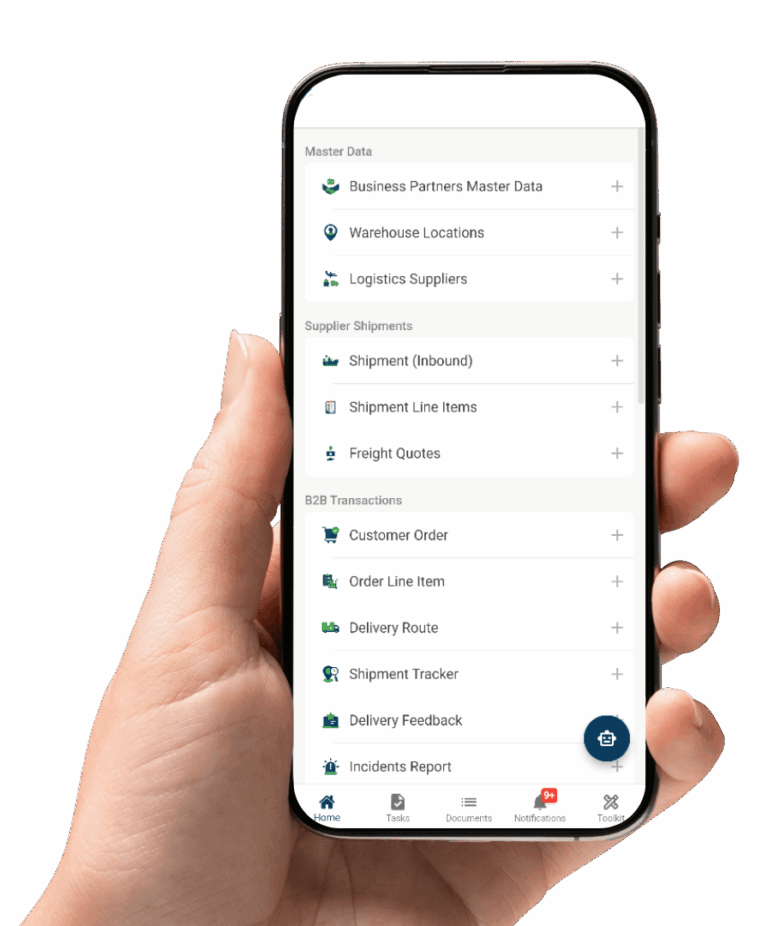
See how your approvals would run on Mobbiz Solutions
Count the approvers and participants outside your tenant, identify the connectors and systems involved, and weigh that against the guest administration and licensing needed to keep everything inside Microsoft. If it’s simple, Power Automate may be the right answer — if not, bring your process and we’ll show you the alternative honestly.
Email: info@mobbizsolutions.com